
Everything Frikitable does
Made for clubs and stores where people play at the table: bookings by table and by seat, what each player picks, the club’s gear and the rankings. The screenshots show a made-up example club.
For members
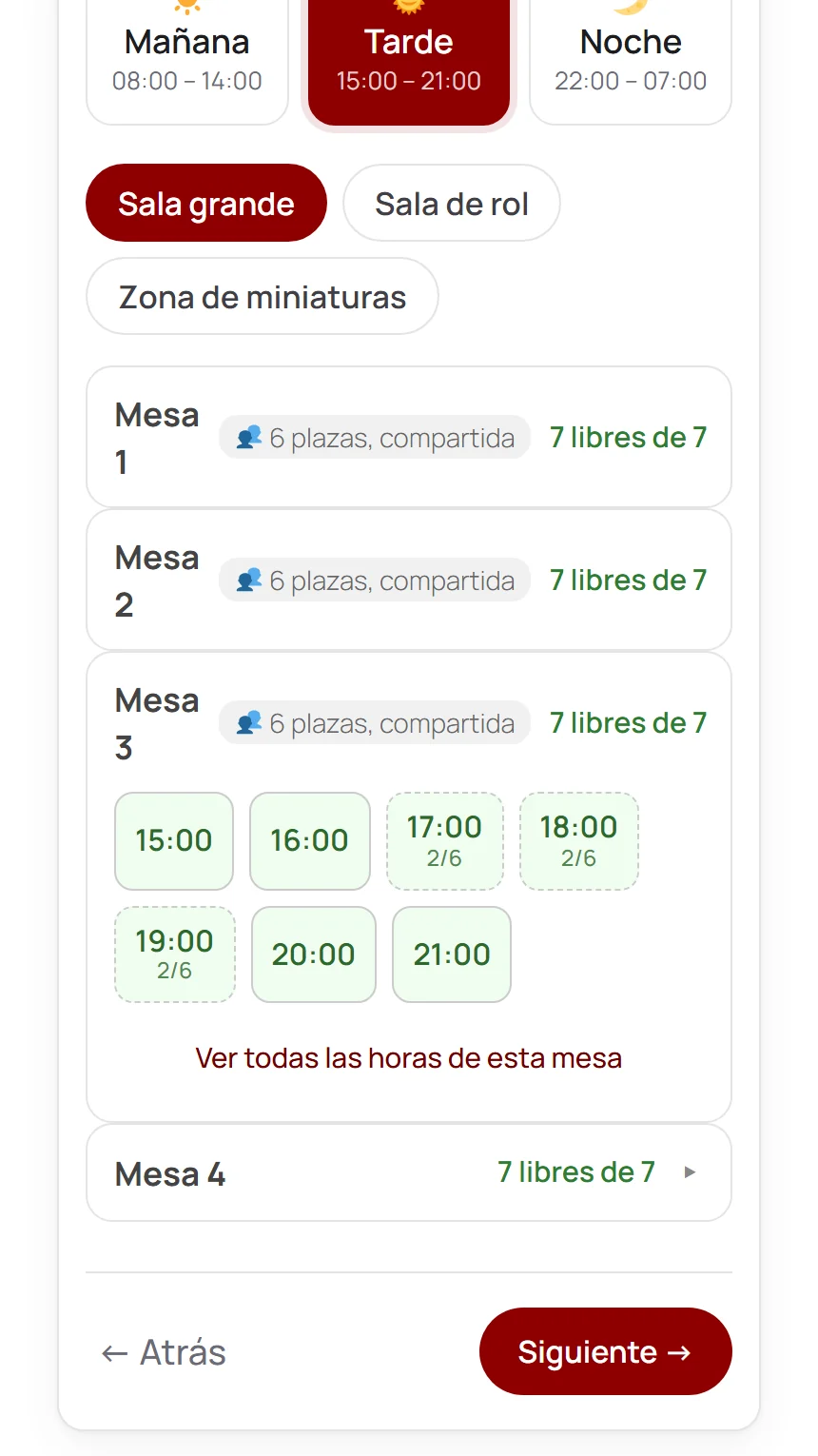
Booking from a phone
They pick the day, the time slot and the room, and see at a glance which tables are free. On shared tables, each hour shows how many seats are still free.
- Rooms and tables with their own names
- Tables shared by seat
- The club’s time slots, night ones included
The game, the army and the gear
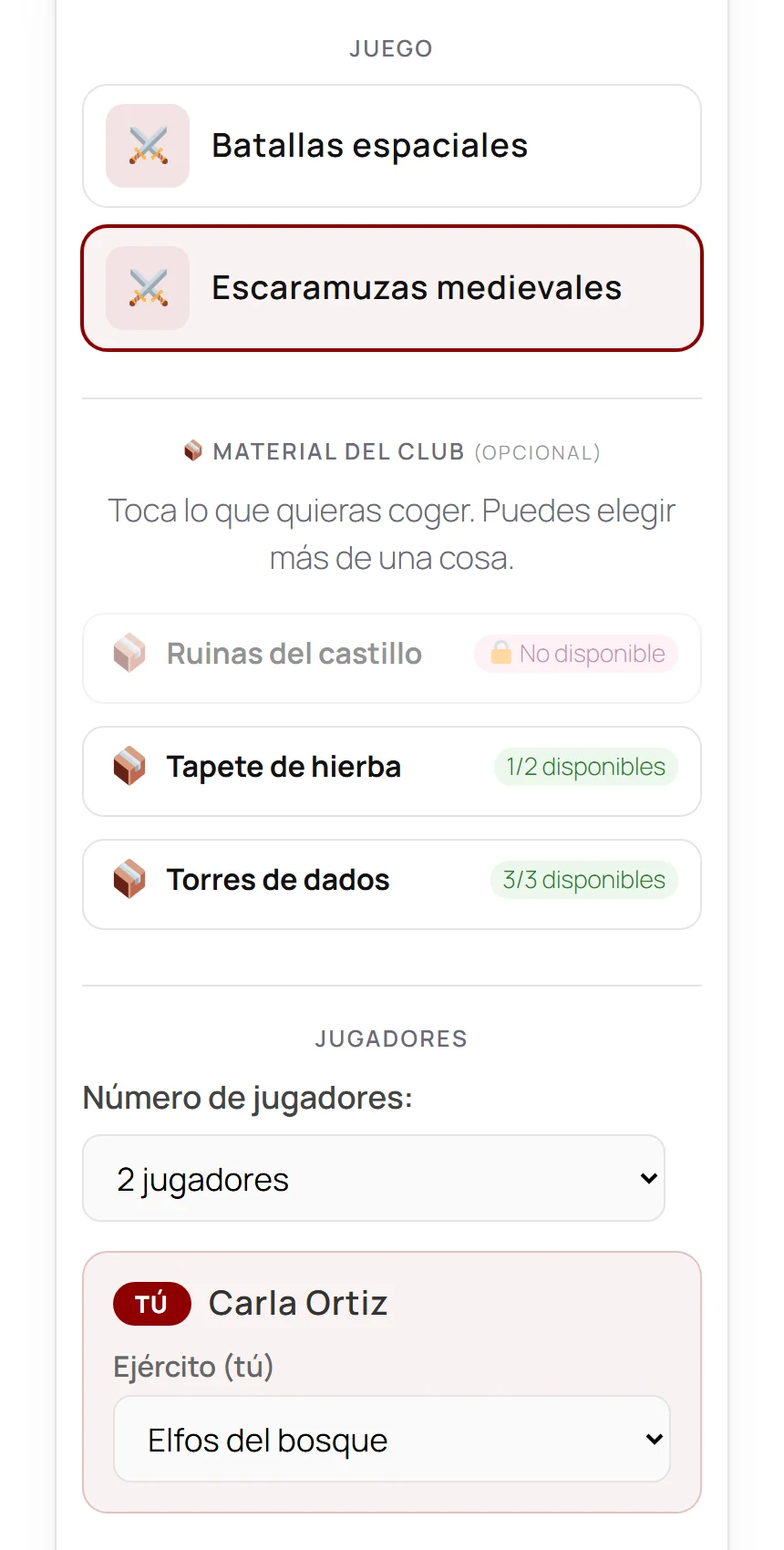
When booking they choose the game, what each player brings (army, faction, deck…) and the club gear they need. Only what is still free at that time is offered.
- Opponent: member or guest
- Gear counted in units: nobody takes what is already lent out
- The club’s copies of each game
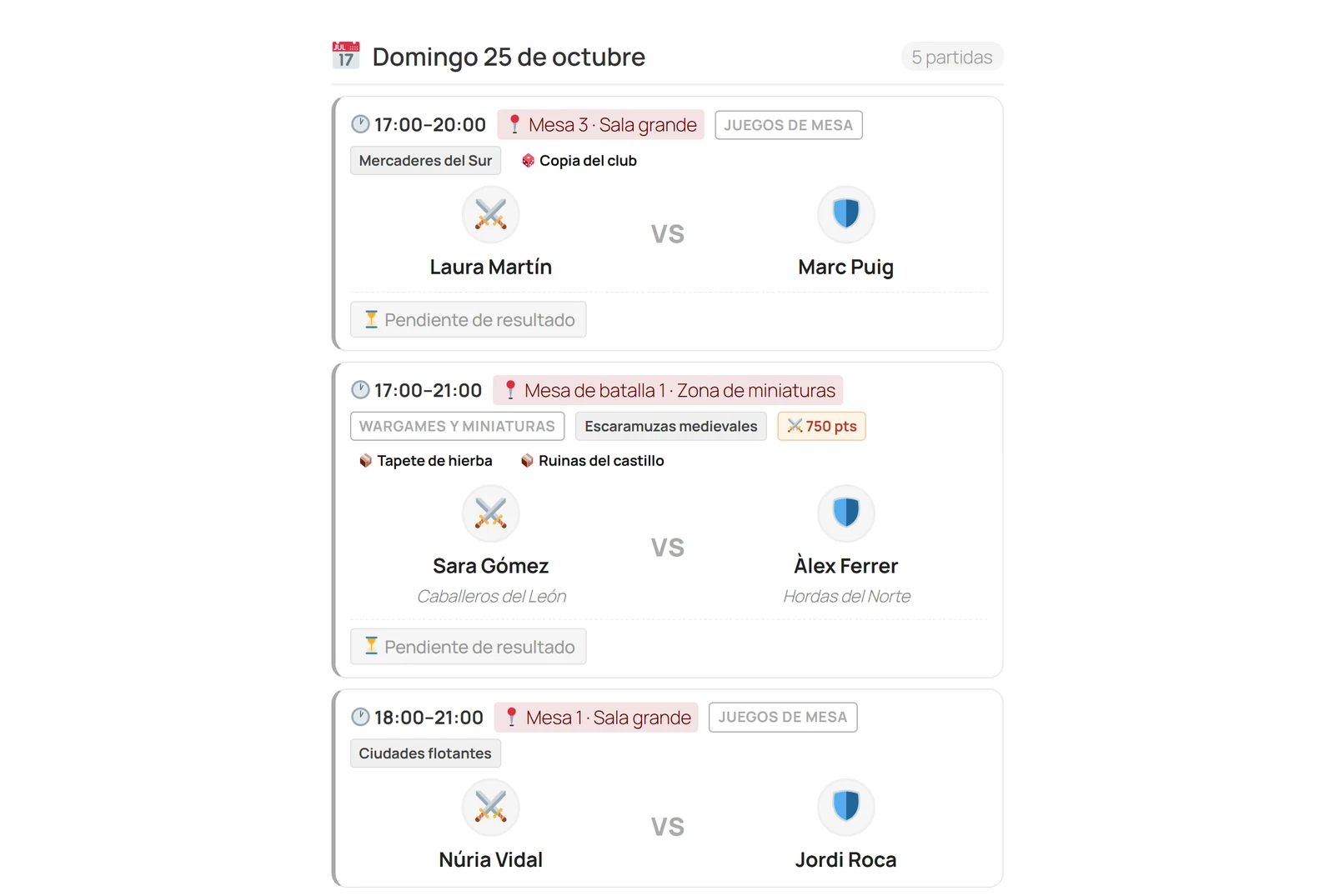
The games list
A calendar with each day’s games: table, game, players and what each one brings. It can be filtered by category, by tournaments or by your own games.
Profiles and rankings
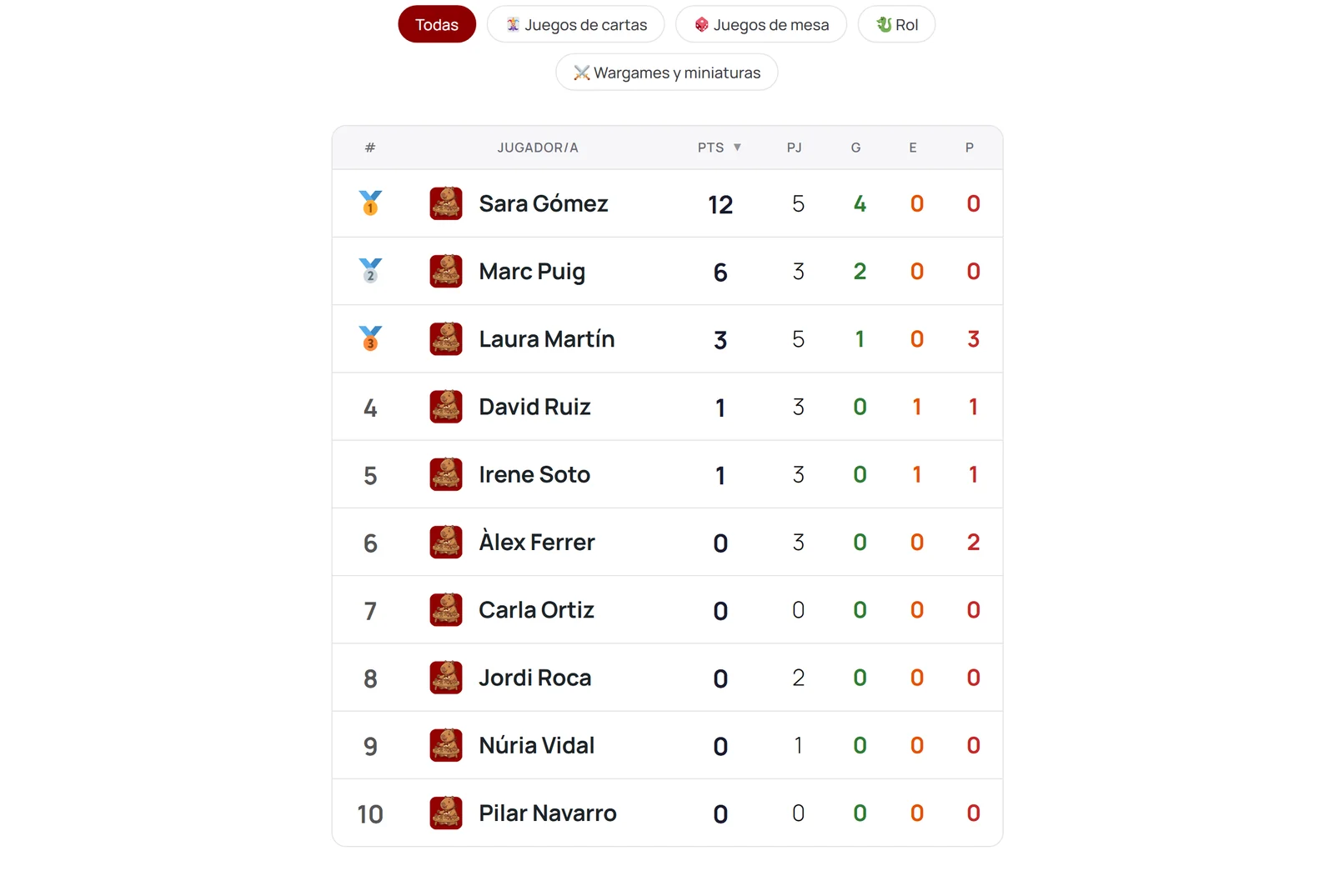
Game results build the club’s rankings, also by category. Every player has a profile with their history.
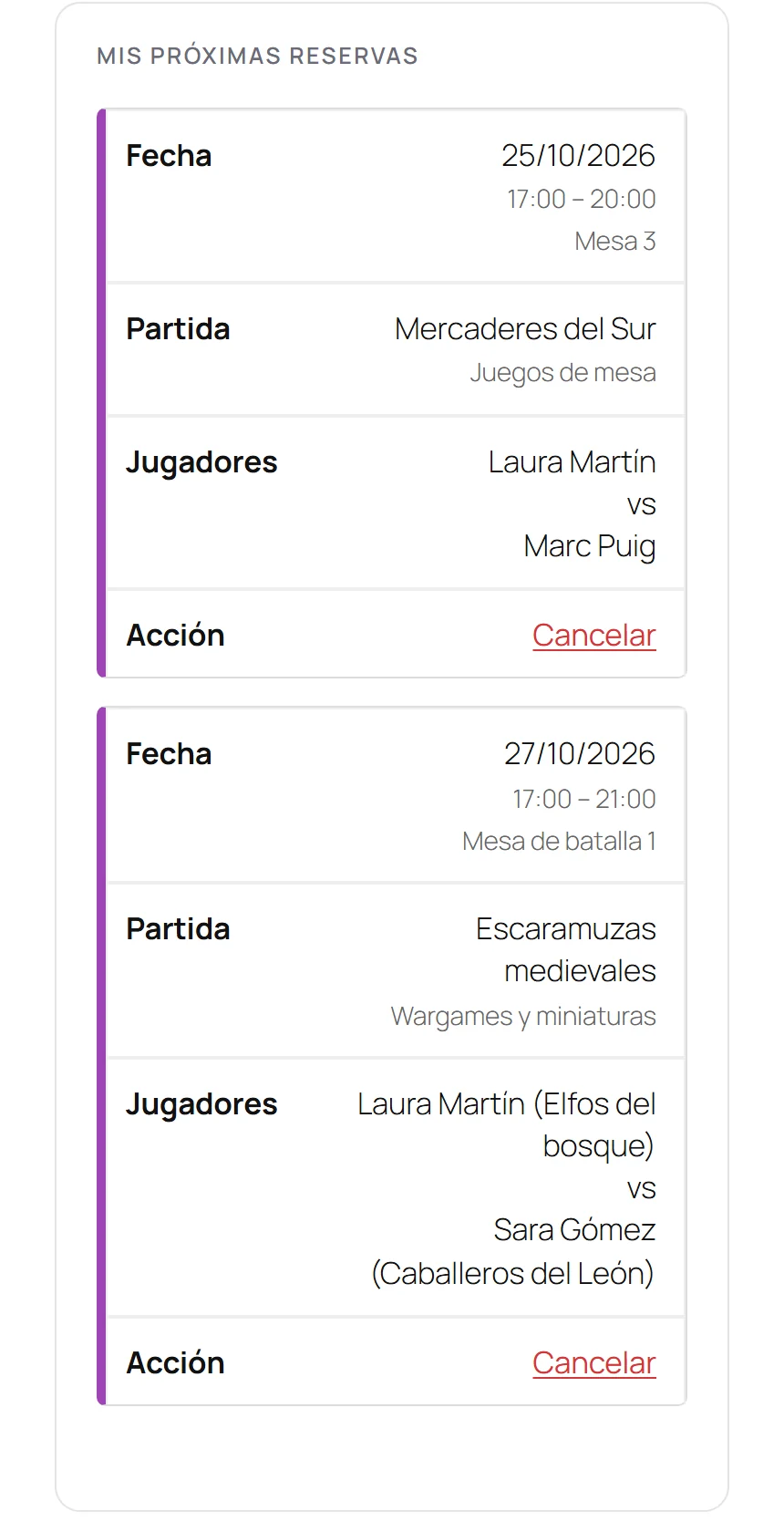
My account
Each member sees their upcoming bookings, can cancel them and checks their game history. They can also change their photo and details.
For organisers
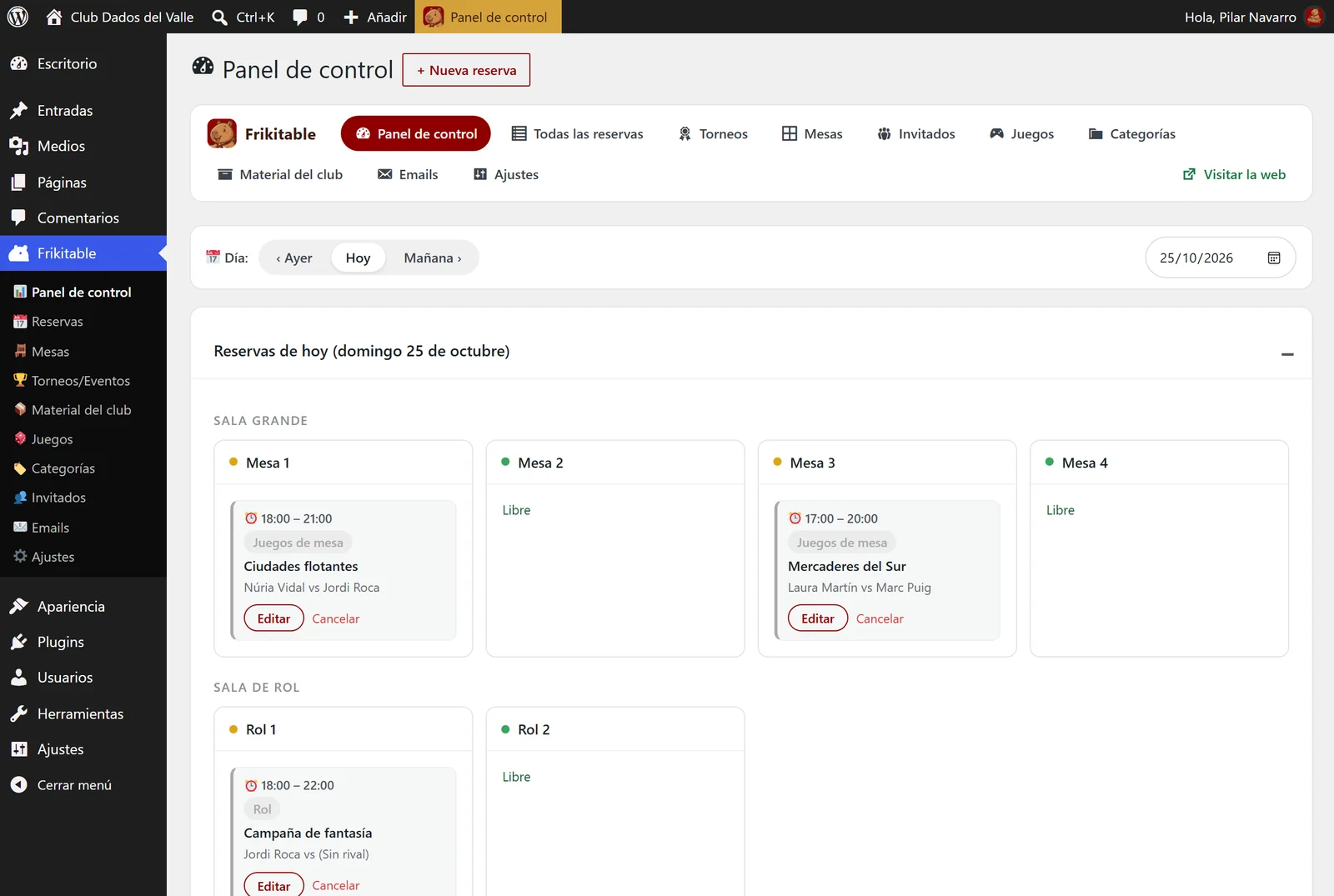
The day’s dashboard
Which tables are taken today, by whom and what they are playing, room by room. You can switch days and edit or cancel any booking.
Your space
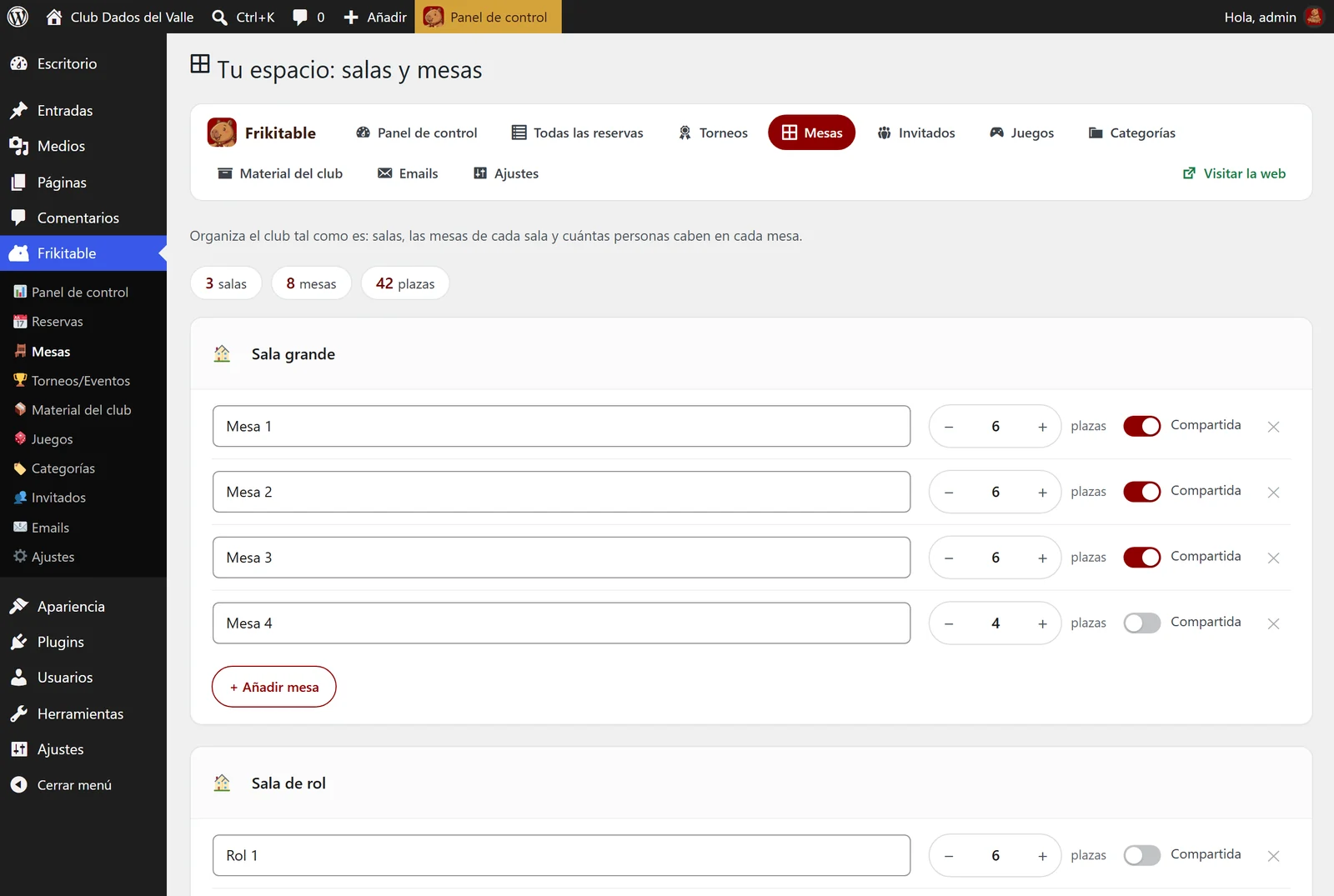
Rooms, tables and seats just as your club is. A shared table holds several games at once until its seats are full; categories that need the whole table, such as wargames, always take all of it.
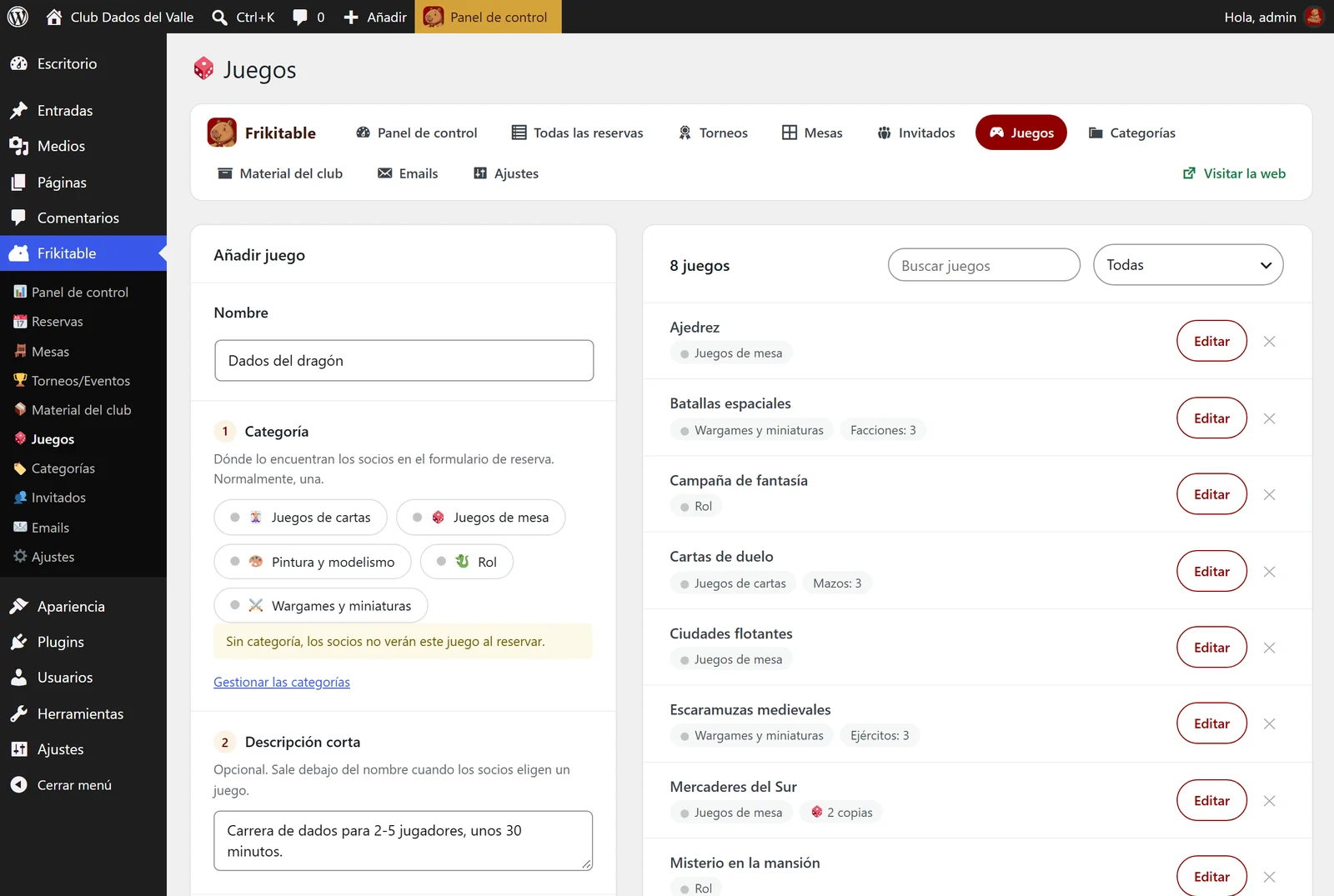
Games and categories
Each game belongs to a category and defines what the player picks. If the club owns copies of a game, they are lent with the booking and checked for availability.
Club gear
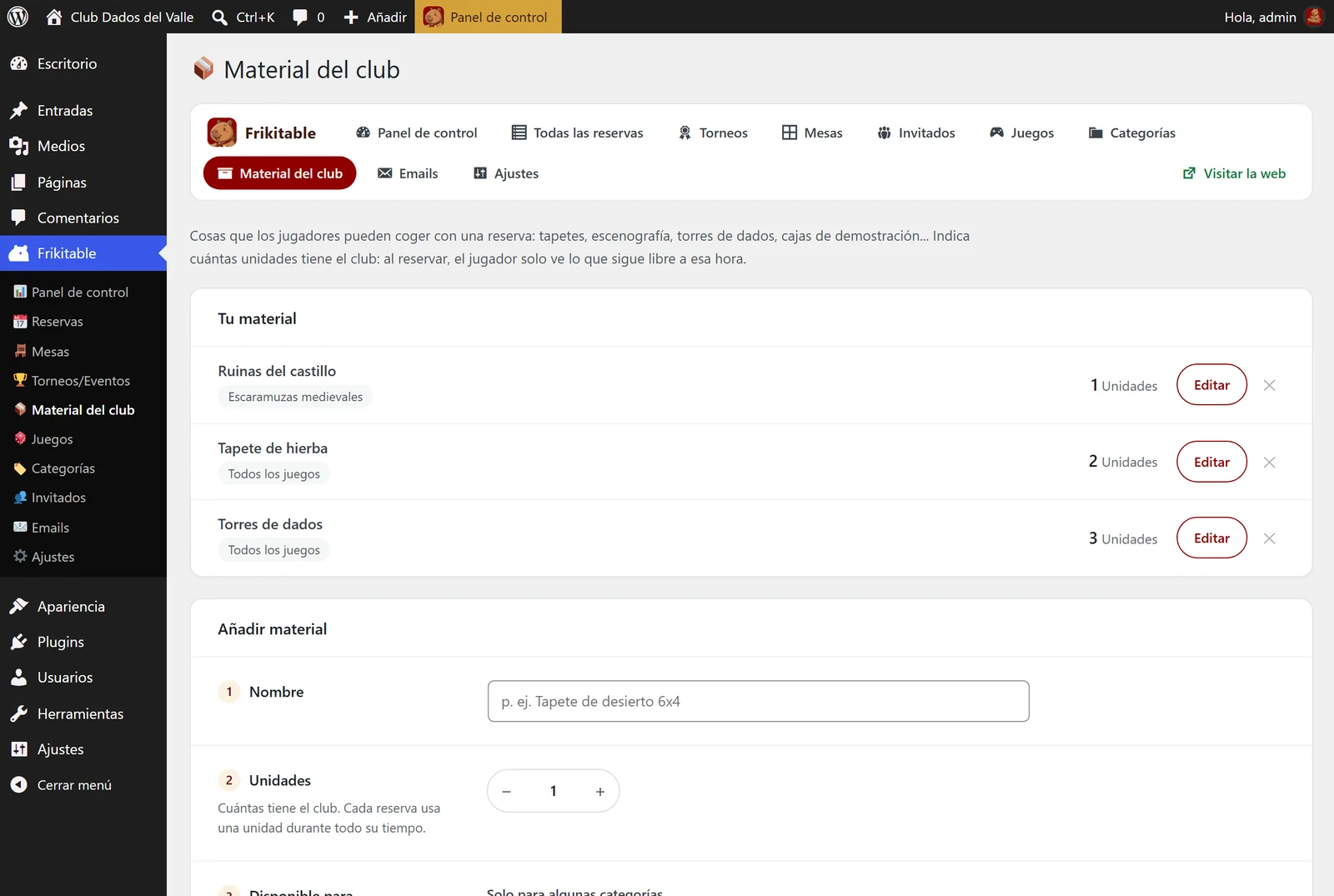
Mats, terrain, dice towers… with the units the club owns and which games or categories each item is for.
Club rules
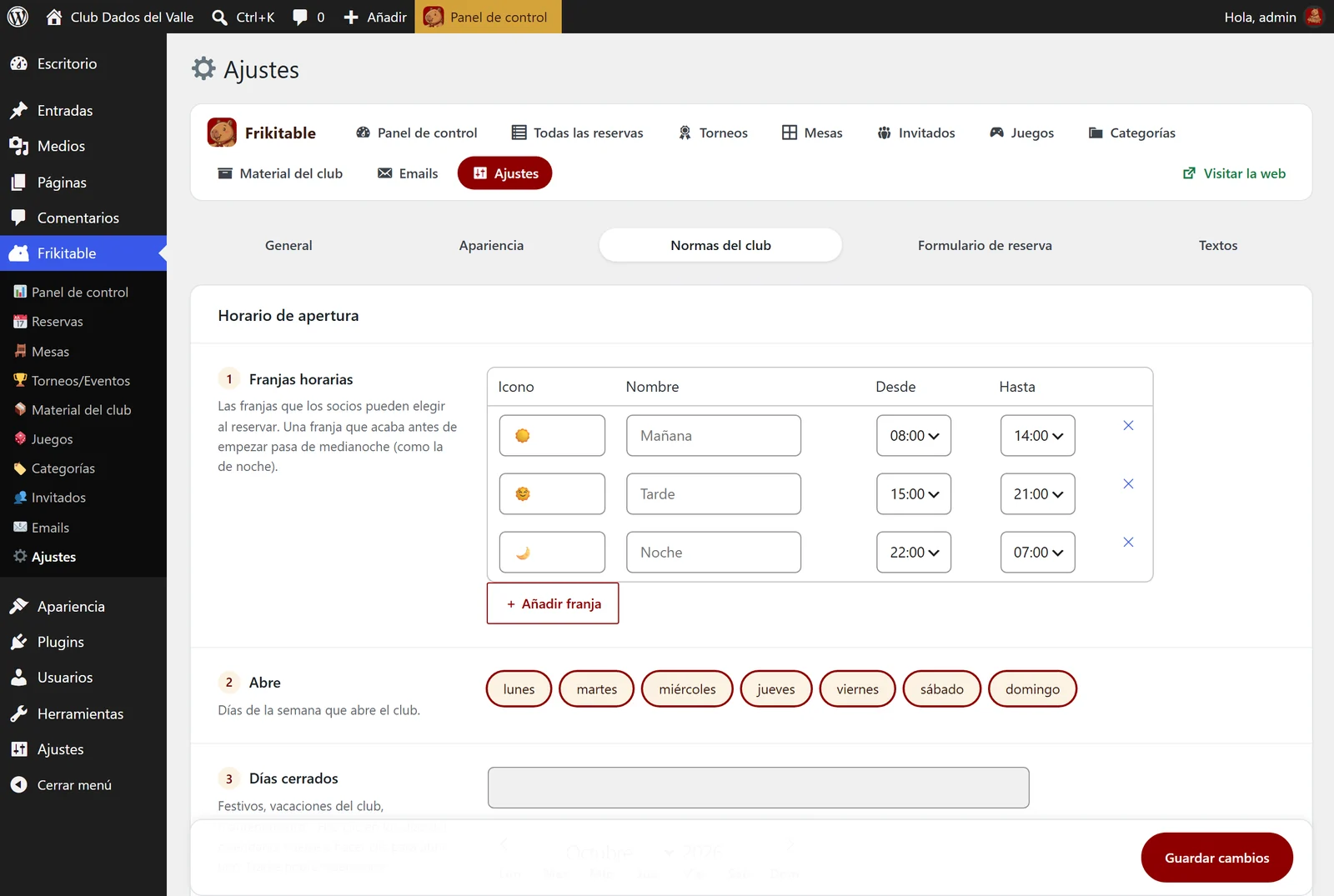
Time slots, opening days, closed dates and limits: how many days ahead people can book, minimum and maximum length, bookings at once per member and how late they can cancel.
Emails with the club’s look
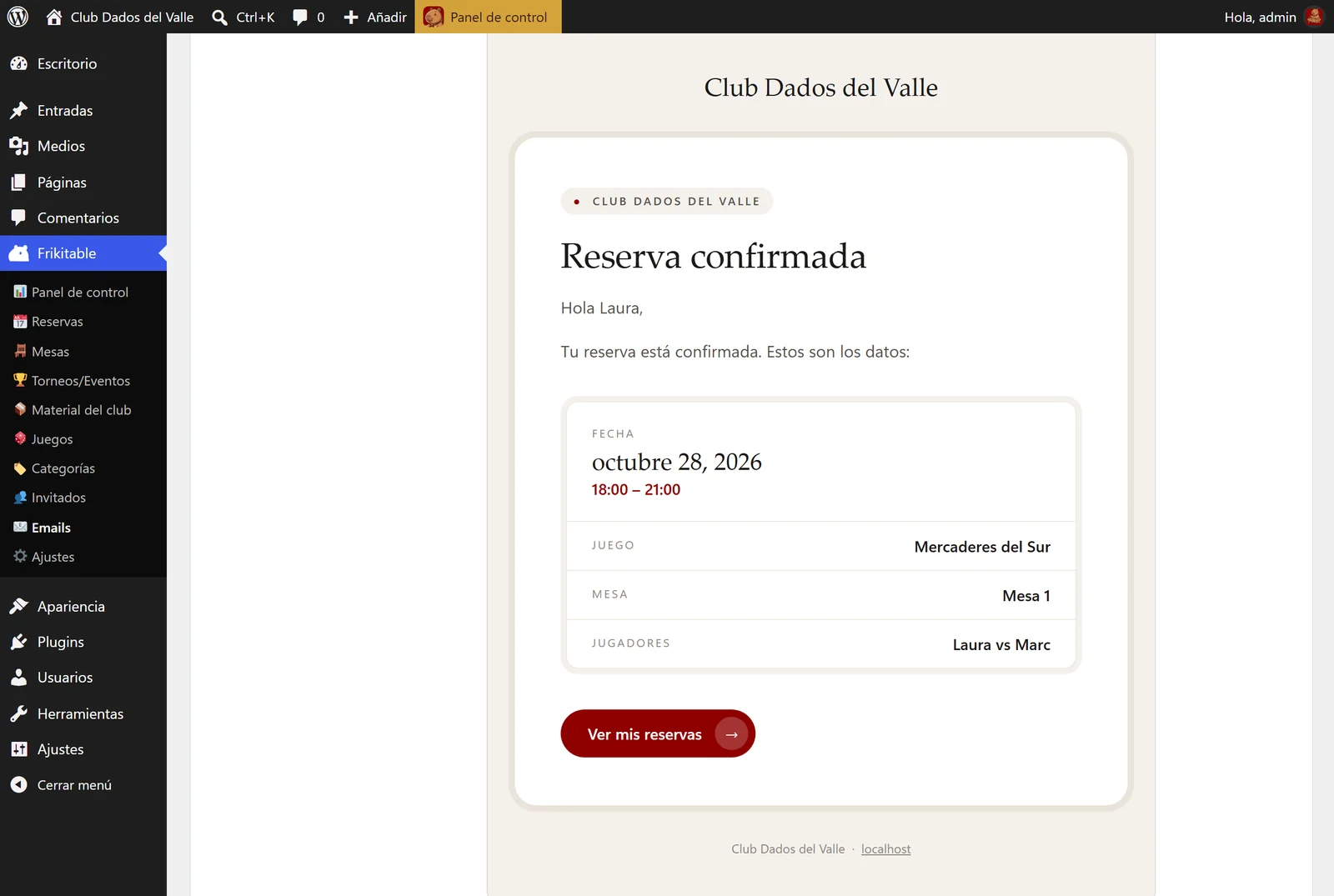
Confirmation to the member, notice to the opponent and notice to the board, with the club’s logo and colour. Every email can be rewritten and has its own preview.
Setup assistant
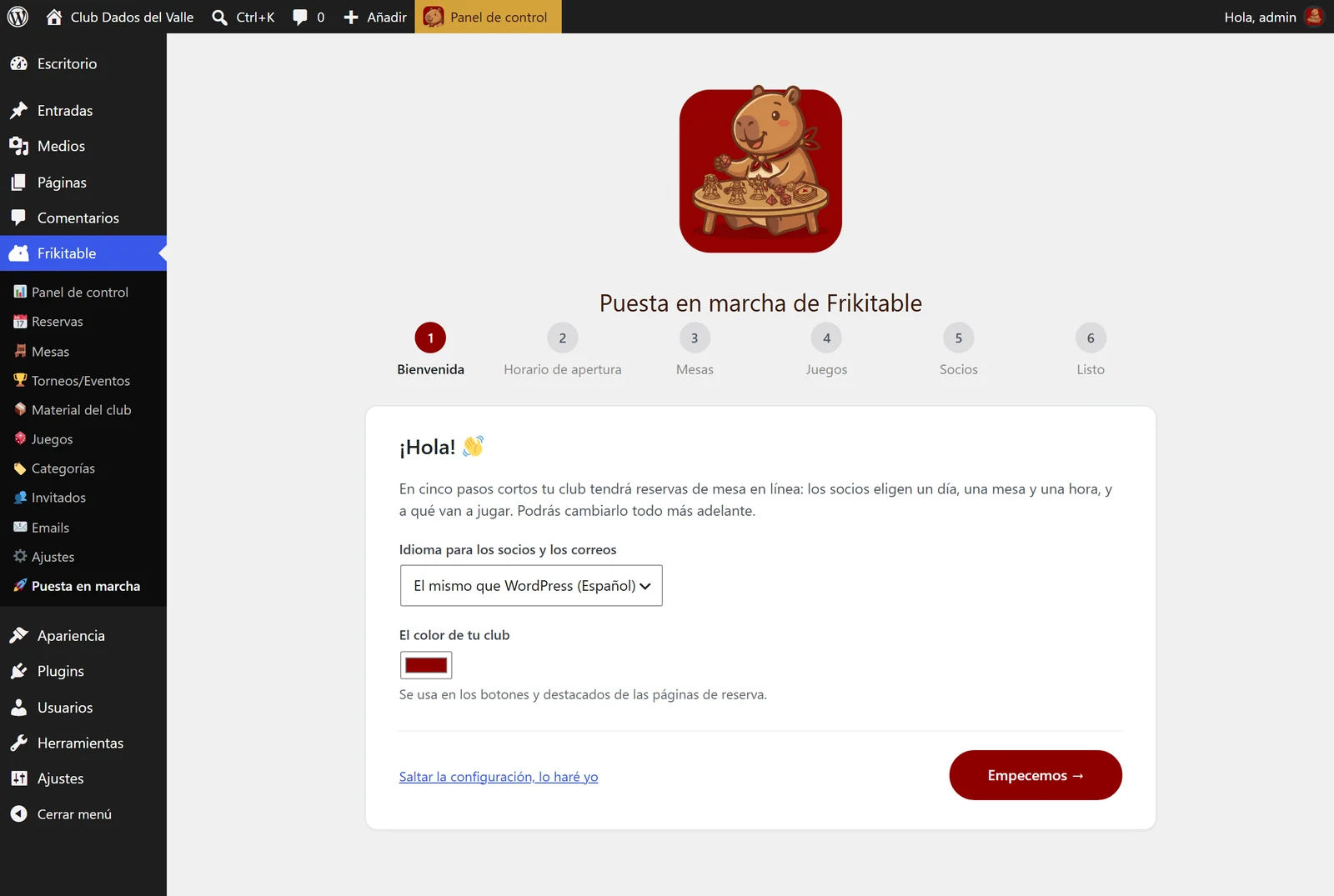
When activated on a new club, it guides you step by step: language and colour, opening hours, tables, games, how members sign up and the website pages.
And also
- Tournaments and events: their tables are blocked in the calendar and they keep a list of participants.
- Guests: track each guest’s visits per month and who has paid.
- Members-only pages: any page can be limited to people who are logged in.
- Open or closed sign-up: anyone can register, or only the club creates accounts.
- Your colour and your buttons: the booking form and member pages in the club’s colour.
- No double bookings: if two members book the same table at the same time, only one gets it.
- Three languages: Catalan, Spanish and English.

Bring your club to the table
Download it for free and install it on your WordPress today.
Version 1.0.0 · Requires WordPress 6.0 or later